
Download Fotor – Free Photo Editor for Mac, Windows, iOS & Android
Overview
Fotor is an elegant and easy‑to‑use photo editor that brings Photoshop‑like power to anyone who wants to enhance images without a steep learning curve. Designed for Mac but also available on Windows, iOS and Android, Fotor lets you adjust exposure, brightness, contrast, white balance and saturation with a few clicks. The tool also supports sharpening, blurring, vignette creation, cropping, straightening and rotation, making it a one‑stop solution for casual shooters and hobbyists alike.
Its “Scenes” feature offers 13 one‑tap‑enhance presets that automatically correct photos taken in low light or with challenging color balance. In addition, the app provides a rich library of over 60 effects—Classic, Lomo, Black & White, Art, Vignettes—and more than 30 stylish frames designed by professional photographers. One standout is the Tilt‑Shift effect, which simulates the shallow depth‑of‑field normally reserved for high‑end DSLR cameras.
Despite the depth of its capabilities, Fotor keeps the user interface clean and intuitive: most adjustments are made with sliders, and the app integrates directly with social media platforms for instant sharing. Whether you need quick touch‑ups for Instagram or detailed enhancements for a print portfolio, Fotor delivers professional‑grade results without demanding a graphic‑design background.
Key Features
- One‑tap “Scenes” presets – 13 AI‑driven enhancements for instant improvement.
- Extensive effect library – 60+ filters including Classic, Lomo, B&W, Art, and Vignettes.
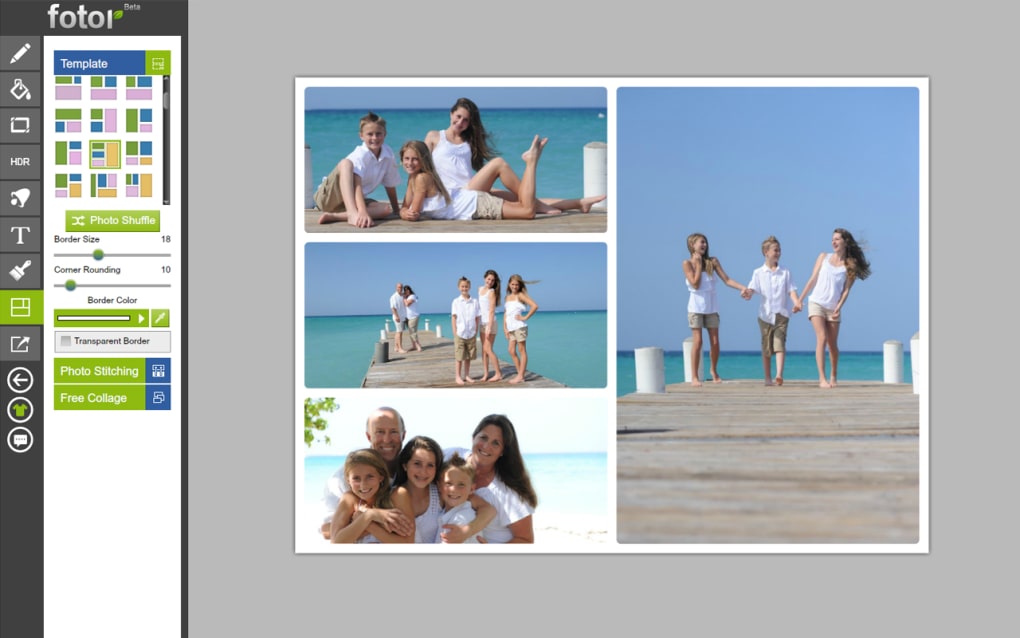
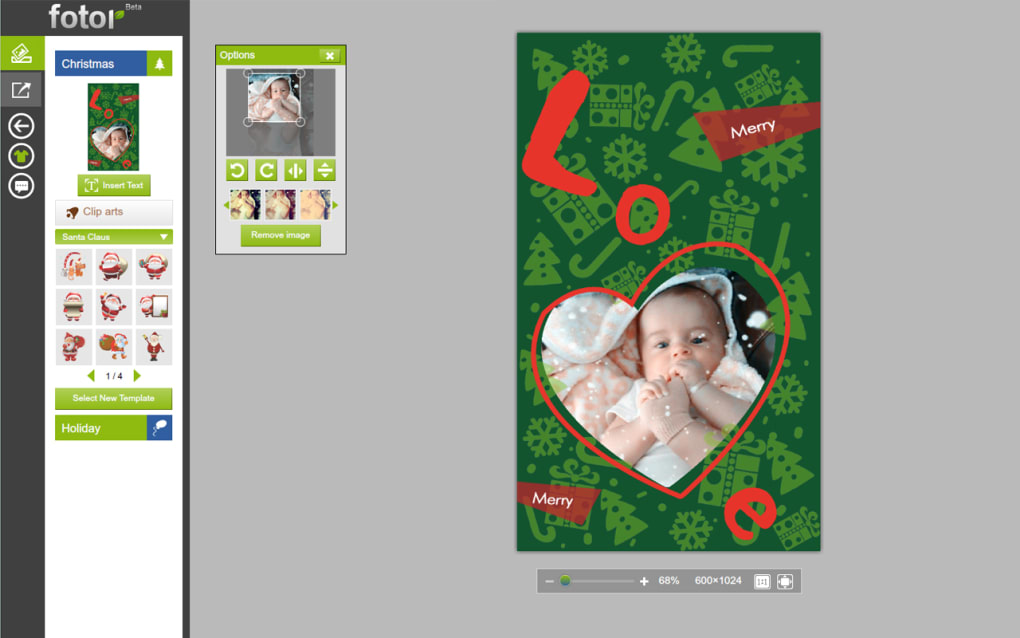
- Stylish borders – Over 30 frame styles crafted by designers.
- Tilt‑Shift effect – Realistic depth‑of‑field for portrait and landscape shots.
- Advanced adjustment sliders – Exposure, brightness, contrast, white balance, saturation, sharpen, blur, vignette.
- Crop, straighten, rotate – Precise composition tools with aspect‑ratio presets.
- Batch processing – Edit multiple images quickly with consistent settings.
- Social media integration – Direct export to Facebook, Instagram, Twitter, and more.
- Cross‑platform availability – Works on macOS, Windows, iOS, and Android.
- Free core version – No subscription required for essential tools; premium add‑ons optional.
Each feature is built around a user‑centric workflow. For example, the “Scenes” presets automatically analyze your photo’s histogram and apply the optimal combination of exposure, contrast and color correction, saving you minutes of manual tweaking. The effect library is searchable, allowing you to filter by style or mood, while the Tilt‑Shift tool offers both radial and linear options, giving you creative control over focus planes. Batch processing is especially valuable for photographers who need to prepare large event portfolios; you can set a single adjustment profile and apply it to an entire folder with a single click. Finally, the social sharing module supports automatic resizing to platform‑specific dimensions, ensuring your images look crisp whether posted on Instagram’s square format or Facebook’s landscape feed.
Installation & Usage Instructions
Downloading the App
To begin, visit the official Fotor website or your device’s app store. For macOS and Windows, click the “Download for Desktop” button, which provides a secure .dmg or .exe installer. Mobile users can find Fotor in the Apple App Store or Google Play Store by searching “Fotor Photo Editor.” The download is completely free, and the installer is signed by the developer to guarantee authenticity.
Step‑by‑Step Installation
- Run the downloaded installer (double‑click the .dmg on macOS or the .exe on Windows).
- Follow the on‑screen prompts: accept the license agreement, choose the destination folder, and click “Install.”
- After installation, launch Fotor from the Applications folder (macOS) or Start Menu (Windows).
- On first launch, you’ll be asked to create a free Fotor account or sign in with Google/Facebook. This step unlocks cloud sync and social sharing.
Basic Editing Workflow
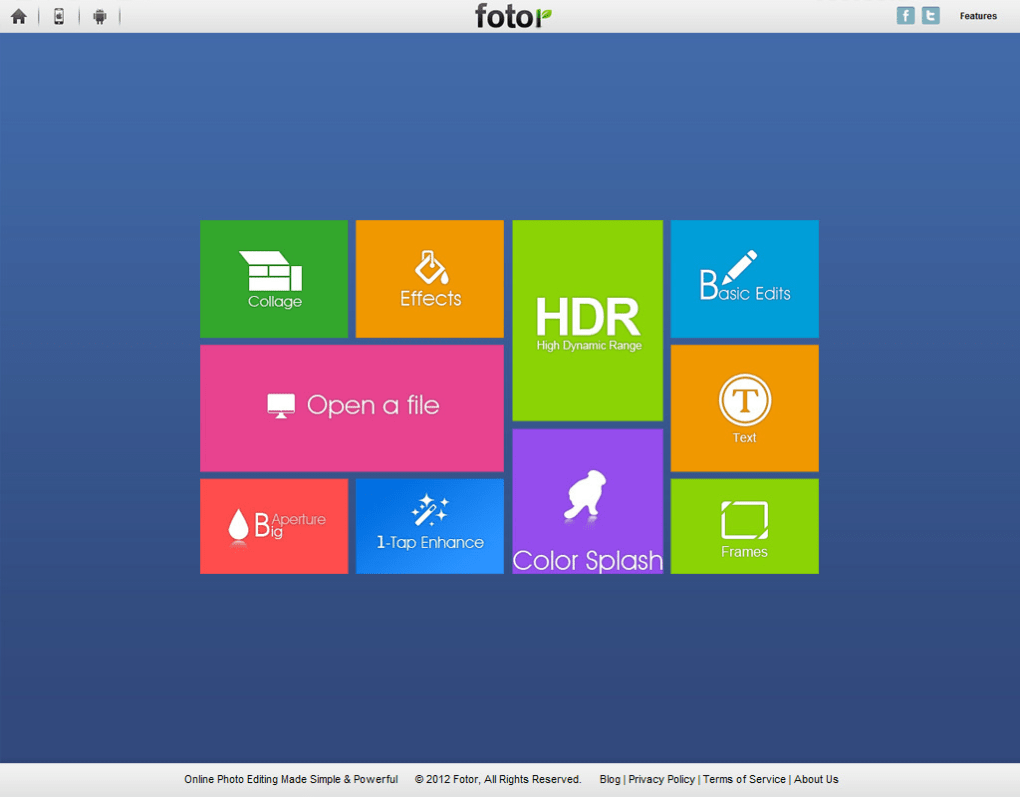
Once inside the app, click “Open” to import a photo from your computer or mobile gallery. The main workspace displays a preview on the left and a vertical toolbar of adjustment sliders on the right. Choose “Scenes” for an instant boost, or manually fine‑tune settings like exposure and saturation.
To apply an effect, select the “Effects” tab, browse the categories, and click on the desired filter; the preview updates in real time. Adding borders or frames is as simple as dragging a style onto the image. When you’re satisfied, click “Export” to save the edited file in JPEG, PNG, or TIFF format, or share directly to your linked social accounts.
Advanced users can explore the “Batch Edit” feature by selecting multiple files from the library view. Set a global preset or custom adjustment, then press “Apply” to process all images simultaneously. The app also supports undo/redo history, allowing you to experiment without fear of losing the original.
Compatibility & System Requirements
Fotor is a cross‑platform solution designed to run smoothly on the latest operating systems. Below are the minimum specifications for each platform:
- macOS: macOS 10.13 (High Sierra) or later; 2 GB RAM; 200 MB free disk space; Intel or Apple Silicon (Rosetta 2 translation for ARM).
- Windows: Windows 10 (64‑bit) or later; 2 GB RAM; 200 MB free disk space; DirectX 9 compatible graphics.
- iOS: iOS 12.0 or later; iPhone 6s or newer; iPad Air or newer; 150 MB free storage.
- Android: Android 7.0 (Nougat) or later; 1.5 GB RAM; 150 MB free storage; GPU supporting OpenGL ES 3.0.
The software is regularly updated to maintain compatibility with the newest OS releases. Automatic updates are delivered via the built‑in updater on desktop versions and through the respective app stores on mobile devices. These updates include performance enhancements, new effects, and security patches to keep your editing environment secure and fast.
Because Fotor processes images locally, it does not require an internet connection for basic editing. However, cloud‑based features such as cross‑device sync, online gallery storage, and one‑click social sharing do need an active connection. The app also supports hardware acceleration on compatible GPUs, which speeds up effect rendering and batch processing, especially on high‑resolution photos.
Pros, Cons & Frequently Asked Questions
Pros
- Intuitive UI – Easy for beginners yet powerful enough for advanced edits.
- Free core version – No hidden fees for essential tools.
- Rich effect library – Over 60 filters and 30 frames.
- One‑tap “Scenes” – Fast AI‑driven enhancements.
- Cross‑platform – Consistent experience on Mac, Windows, iOS, Android.
- Social media integration – Direct sharing saves time.
- Batch processing – Efficient for large photo sets.
Cons
- Premium features (advanced HDR, RAW support) require a subscription.
- Limited text overlay tools compared to dedicated design apps.
- Performance can lag on older hardware when applying multiple effects.
FAQ
Is Fotor completely free to use?
The core version of Fotor is free and includes all basic editing tools, effects, borders, and one‑tap “Scenes.” Premium features such as advanced HDR, RAW processing, and additional cloud storage are available through a paid subscription.
Can I edit RAW files with Fotor?
RAW support is part of the premium subscription. Free users can still edit JPEG and PNG files, while paid subscribers gain full RAW compatibility and non‑destructive editing.
Does Fotor work offline?
Yes. All core editing functions operate locally, so you can edit photos without an internet connection. Cloud sync, online gallery, and social sharing require a connection.
How often is Fotor updated?
The development team releases updates roughly every 4‑6 weeks, delivering new effects, performance improvements, and security patches. Desktop versions prompt you to download updates automatically, while mobile apps update through the App Store or Google Play.
Is my data safe when I sync photos to the cloud?
Fotor uses SSL/TLS encryption for all data transfers and stores files on secure, GDPR‑compliant servers. Your private photos are only accessible with your account credentials.
Conclusion & Call to Action
Fotor stands out as a versatile, user‑friendly photo editor that bridges the gap between casual mobile apps and heavyweight desktop suites. Its combination of one‑tap AI enhancements, a robust library of effects, and professional‑grade tools like Tilt‑Shift delivers impressive results without demanding Photoshop‑level expertise. While the free version covers most everyday needs, power users may consider the premium upgrade for RAW support and advanced HDR capabilities. Overall, Fotor is an excellent choice for anyone who wants to produce polished, share‑ready images quickly and securely across multiple platforms.
Ready to transform your photos with a tool that feels both simple and powerful? Download Fotor now and start creating stunning visuals today.



.png)



